Au-delà de la route
Connecting Gran Turismo 7
GT7 has no telemetry setting to find. Give Marque your PlayStation’s address instead and it asks the console directly.
Cet article n’est pas encore traduit ; il s’affiche donc en anglais.
Gran Turismo 7 is the odd one out, and in a good way: there’s nothing to switch on in the game. You’ll not find a telemetry menu because there’s not one. Instead of the game sending to your phone, your phone asks the console, so the one thing Marque needs is your PlayStation’s address on your network.
Bon à savoir
PlayStation 5 and PlayStation 4. GT7 exists nowhere else, so there’s no PC or Xbox setup for this one.
Find your console’s address
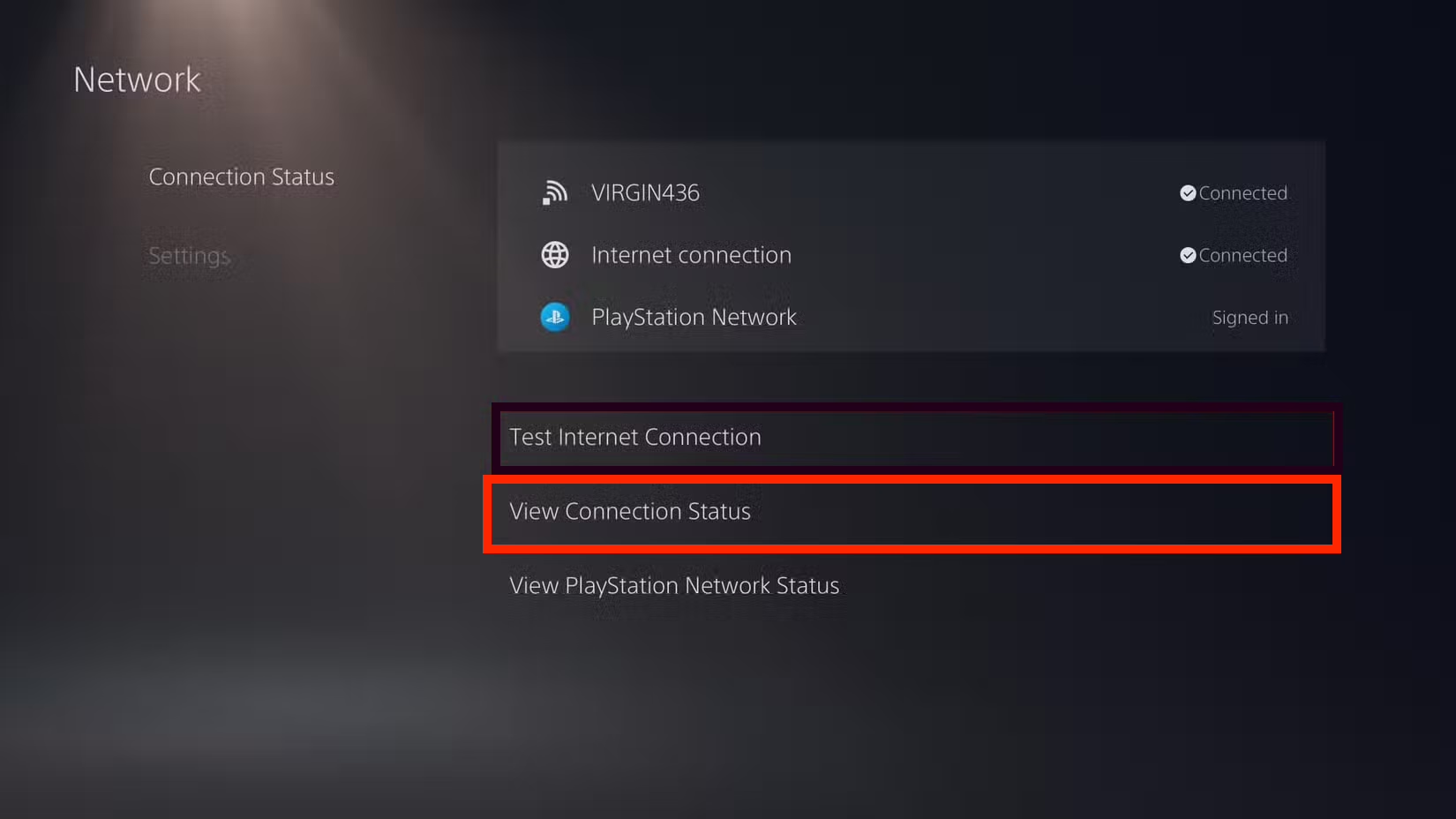
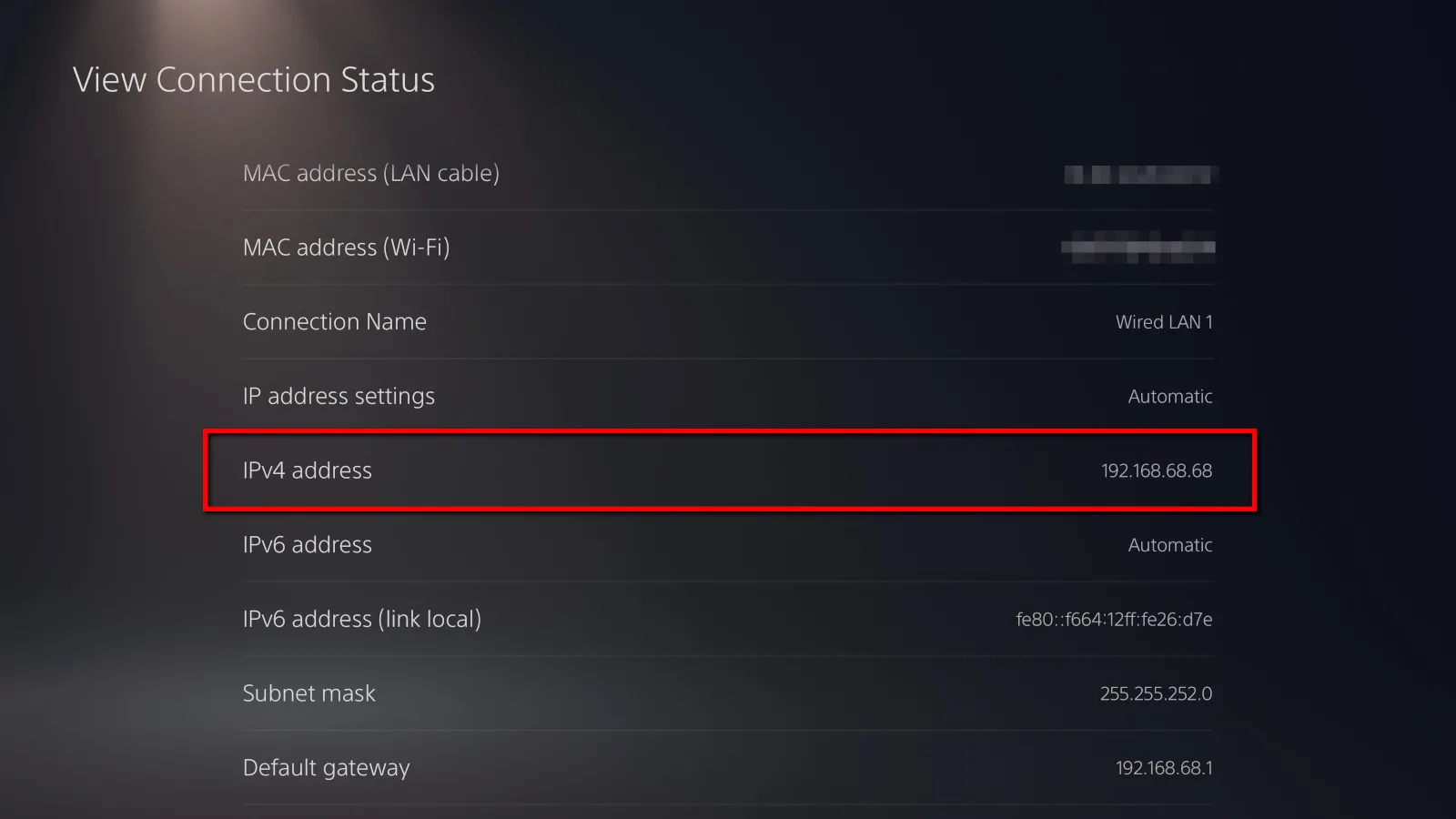
- On your PlayStation, open Settings › Network › View Connection Status.
- Read off the IPv4 address - four numbers with dots, something like
192.168.1.42. Ignore the rest of that page, the IPv6 rows included.
Set it up in Marque
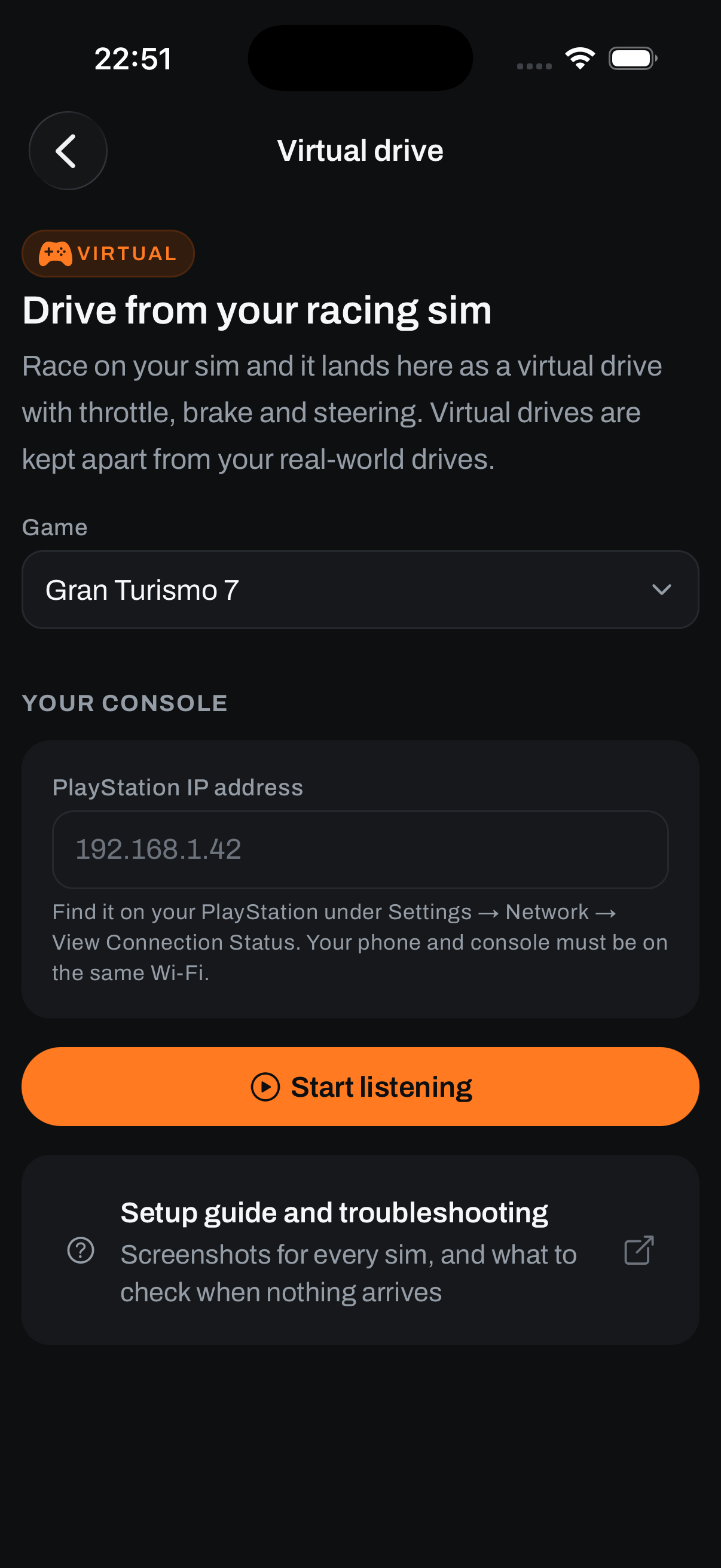
- Open Record › Record a virtual drive and pick Gran Turismo 7.
- Type that address into PlayStation IP address. Marque remembers it, so this is normally a one-time job.
- Start GT7 and get into a session: a race, a time trial, anything where you’re on track.
- Tap Start listening. Marque starts calling the console, and the cockpit appears once it answers.
Worth knowing
- The address can move. Your router hands out addresses on a lease, so after a power cut or a long spell switched off, the PlayStation may come back on a different one. If a setup that used to work goes quiet, check that screen again. Giving the console a fixed address in your router settings makes the problem go away for good.
- Marque keeps asking while you drive. The console only streams while something is calling it, which is why the app has to stay open and on that screen.
- Read-only, like everything else here. Marque asks the console for telemetry and nothing else.
Bon à savoir
GT7’s telemetry feed is scrambled, and Sony has changed how it’s scrambled before, in a game update. When that happens telemetry stops decoding for everyone until we ship a fix, so if GT7 goes quiet right after a big update and every address checks out, that’s likely why. Tell us and we’ll look.
Astuce
Nothing arriving? The rest of the checks - guest Wi-Fi, VPNs - are on connecting your racing sim.
Toujours bloqué ?
Si quelque chose ici ne correspond pas à ce que vous voyez, ou si vous butez sur un mur, nous préférons le savoir. Écrivez à [email protected] et nous vous répondrons.
Parcourir tous les sujets d’aide