Beyond the road
Connecting iRacing
iRacing publishes telemetry on the PC running it, never over the network. The same small Windows app that handles Assetto forwards it to your phone.
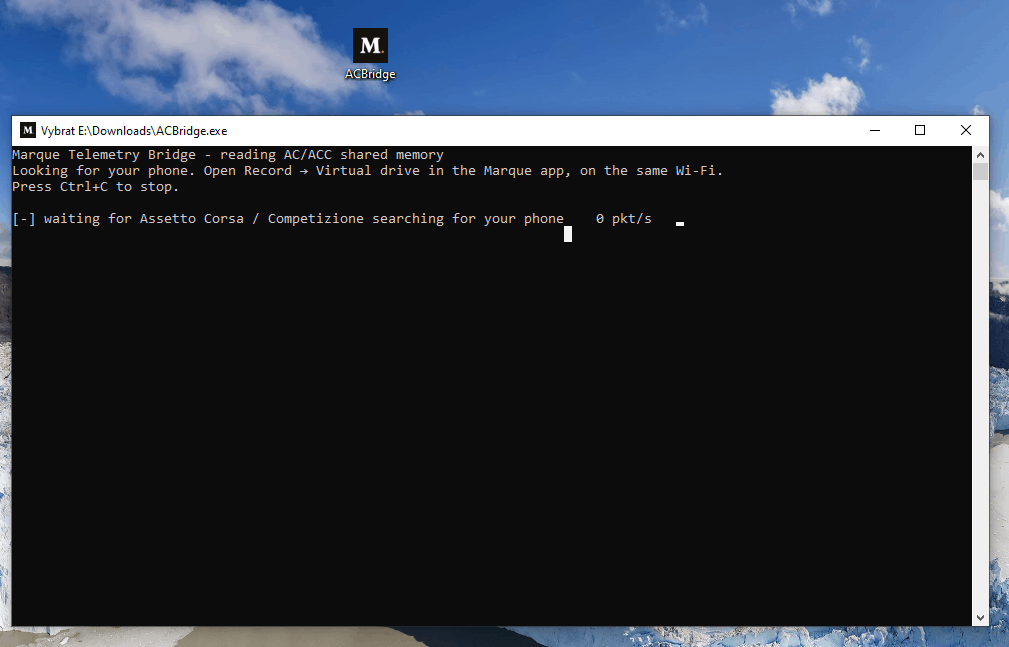
iRacing shares its telemetry with other software on the PC running it, but never over the network. So, like the Assetto titles, it needs the Marque Telemetry Bridge: a small app on your gaming PC that reads what iRacing publishes and forwards it to your phone. One bridge covers all three titles and works out which one is running by itself.
Good to know
There’s nothing to switch on in iRacing. The sim publishes telemetry whenever a session is loaded. No settings screen, no plugin, no config file. If the bridge is running, the laps arrive.
Set it up
- On your gaming PC, download the bridge from getmarque.club/download and double-click
MarqueBridge.exe. There’s nothing to configure and nothing to install. Windows will show a blue “Windows protected your PC” box the first time because the bridge isn’t code-signed yet. Click More info, then Run anyway, and allow it through the firewall on private networks if asked. - In Marque, open Record › Record a virtual drive and pick iRacing. Leave that screen open - it’s what the bridge is looking for.
- The bridge finds your phone itself when the network allows it; when it doesn’t, common on an iPhone, it asks for an address after about five seconds. Read the one on the app’s Connect card, type it, press Enter. It only asks once. If two phones answer, it asks for the pair code shown on the Virtual drive screen instead.
- Tap Start, get on track in iRacing, and drive. The app walks through receiving → on track → recording.
Screenshot to come
The app showing "Bridge found on <PC>"
Worth knowing
- Your drive gets a map. iRacing reports where the car is on the track, so the report draws the lap - alongside throttle, brake, clutch, steering, gear and fuel.
- Track, layout, car and class come from the sim - the drive is labelled with what you actually took out, without picking anything in the app. With bridge 1.6.0 or later, so do iRacing’s own g-forces and turbo boost.
- Leave the bridge running all evening. It notices when you leave a session and picks up the next one by itself, and it remembers your phone between runs.
- Only real driving records. Menus, replays and sitting in the garage are skipped - recording starts when you’re on track.
Tip
The bridge itself - how discovery works, the pair code, and what to check when it can’t find your phone - is covered in detail on the Assetto Corsa page; every word of it applies to iRacing too. The general checks are on connecting your racing sim.
Still stuck?
If something here doesn’t match what you see, or you’ve hit a wall, we’d rather hear about it. Email [email protected] and we’ll get back to you.
Browse all help topics