Recording drives
Recording a drive
How to start a drive, choose a mode, read the live cockpit, and let it run safely in your pocket.
Recording is the centre of Marque, so it lives in the centre of the app. The Record button sits in the middle of the bottom bar. Set everything up before you pull away. Once you’re moving there’s nothing left to touch.
Start a drive
- Tap Record in the middle of the bottom bar.
- Check the car shown is the one you’re driving. It defaults to your main car, and you can swap it here.
- Wait for a GPS fix. Marque warms up the signal and shows you when it’s ready; a moment by a window or once you’re outside is usually enough.
- Start recording, put the phone down, and drive.
Tip
Two modes
A small selector lets you pick what the live screen emphasises. Both record exactly the same drive. The mode only changes which gauge is front and centre.
- Spirited - puts the g-force meter up front: a friction circle showing the load through corners, braking, and acceleration. The mode for a good road.
- Cruise - a calmer readout with altitude and heading. The mode for a long, scenic run.
The live cockpit
While a drive is running, the screen is a cockpit you can glance at, never operate. A small icon switch at the top swaps what fills it. Switching costs nothing - the drive underneath is the same recording either way.
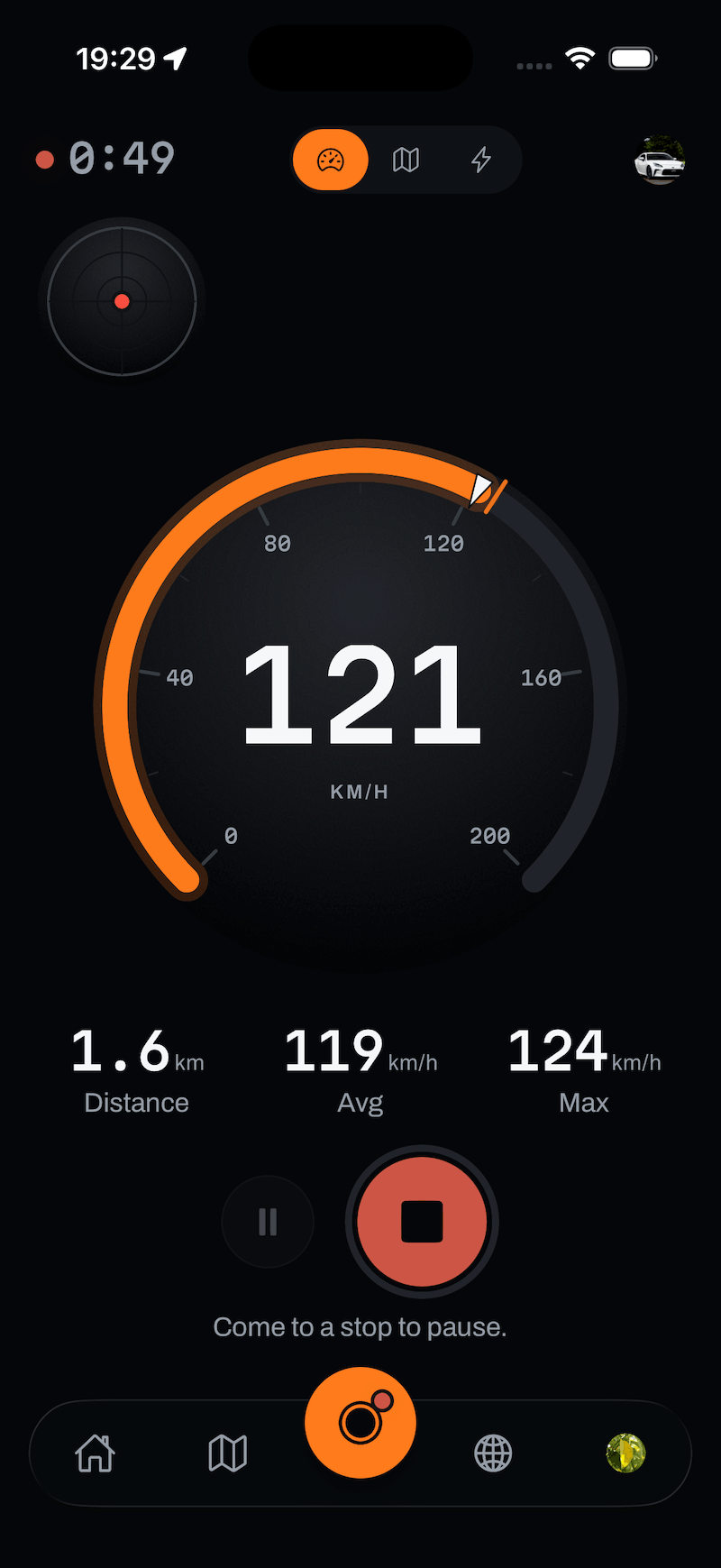
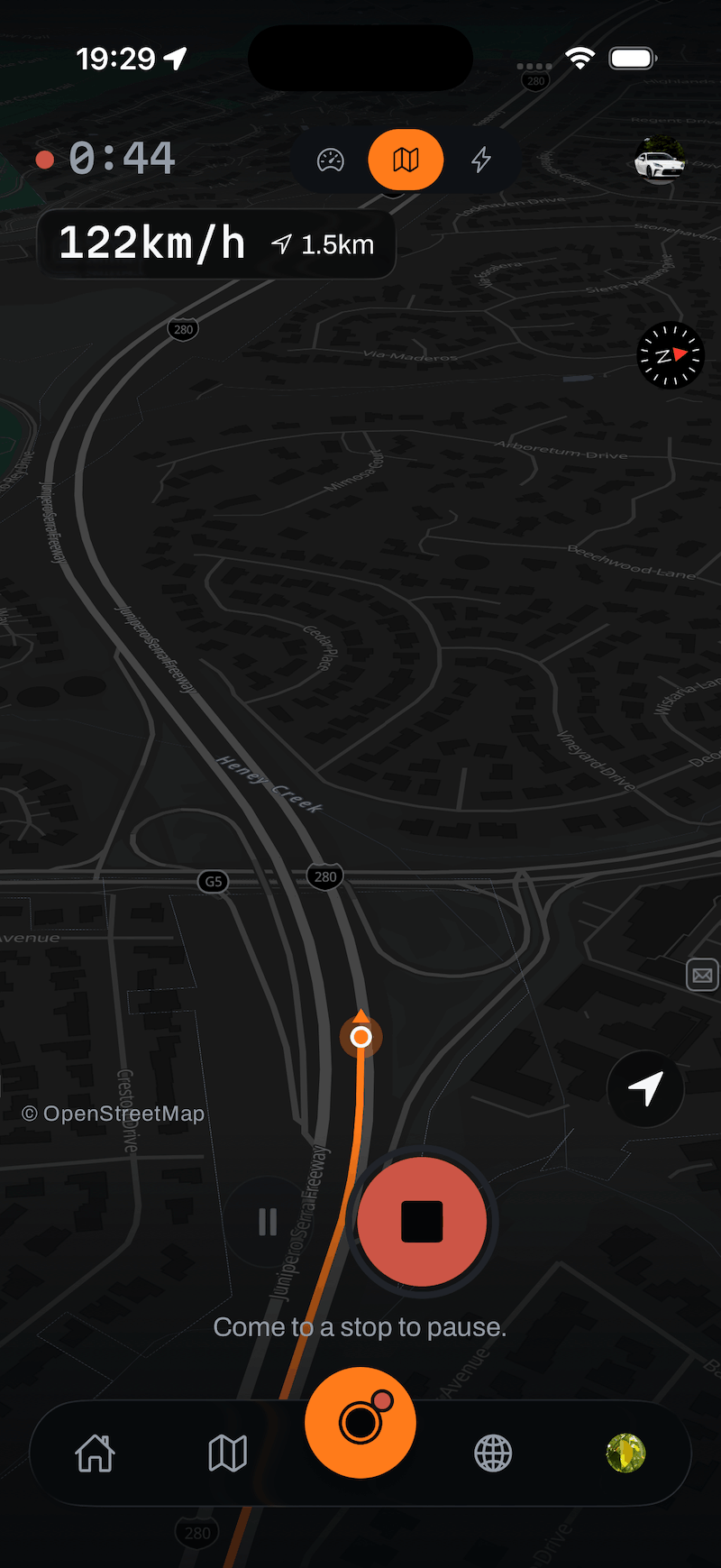
Whichever view you’re in, a stale reading dims its dial rather than holding the last number - a frozen figure never masquerades as a live one.
Race - only with a dongle
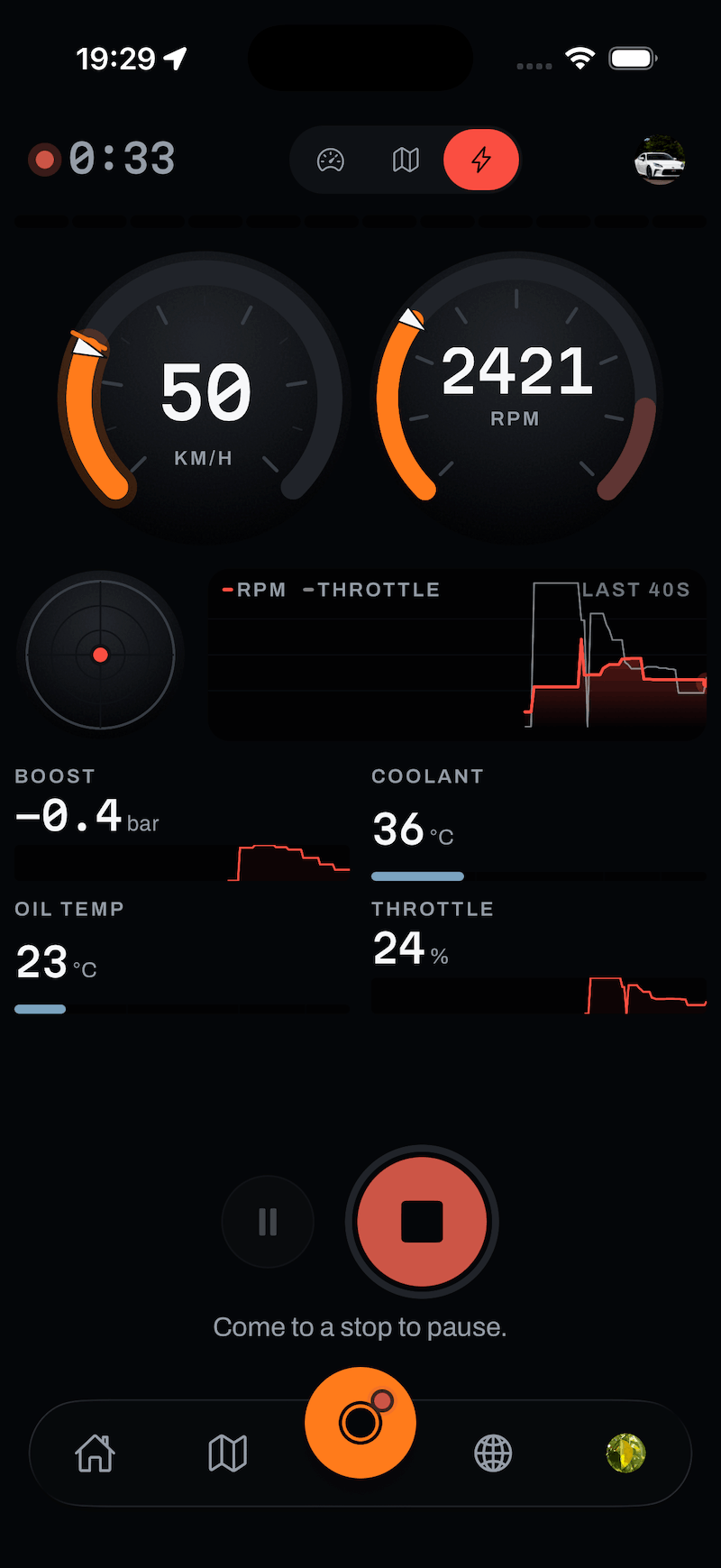
A third view appears once a paired OBD-II adapter is actually streaming, and it’s the one screen in Marque that ignores your chosen livery: speed and RPM as a pair of dials, a rolling RPM-and-throttle trace, and whichever channels your car answers to: boost, coolant, oil temperature. It stays for the rest of the drive once it arrives, so the switch never moves under your thumb.
It keeps running in your pocket
You don’t need to keep the app open or the screen on. Marque keeps recording with the phone locked and in a pocket or on a mount, using background location. The screen stays awake only while you’re actively looking at the cockpit.
On the road
Finishing
When you’re done, stop the drive. Marque seals it and takes you straight to your report. See your drive report for what happens next, and pausing and resuming if you want to break a drive up mid-way.
Still stuck?
If something here doesn’t match what you see, or you’ve hit a wall, we’d rather hear about it. Email [email protected] and we’ll get back to you.
Browse all help topics